Authorization
Receive authorization by asking for the required permissions.
This is a OAuth 2.0 compliant Authorization Code flow implementation with PKCE.
Implement this authentication and authorization flow by leveraging widely-available OAuth 2.0 client libraries (e.g., oauth2 gem for Ruby, openid-client for Node.js, OAuthLib for Python, Spring Security OAuth for Java, or MSAL for .NET).
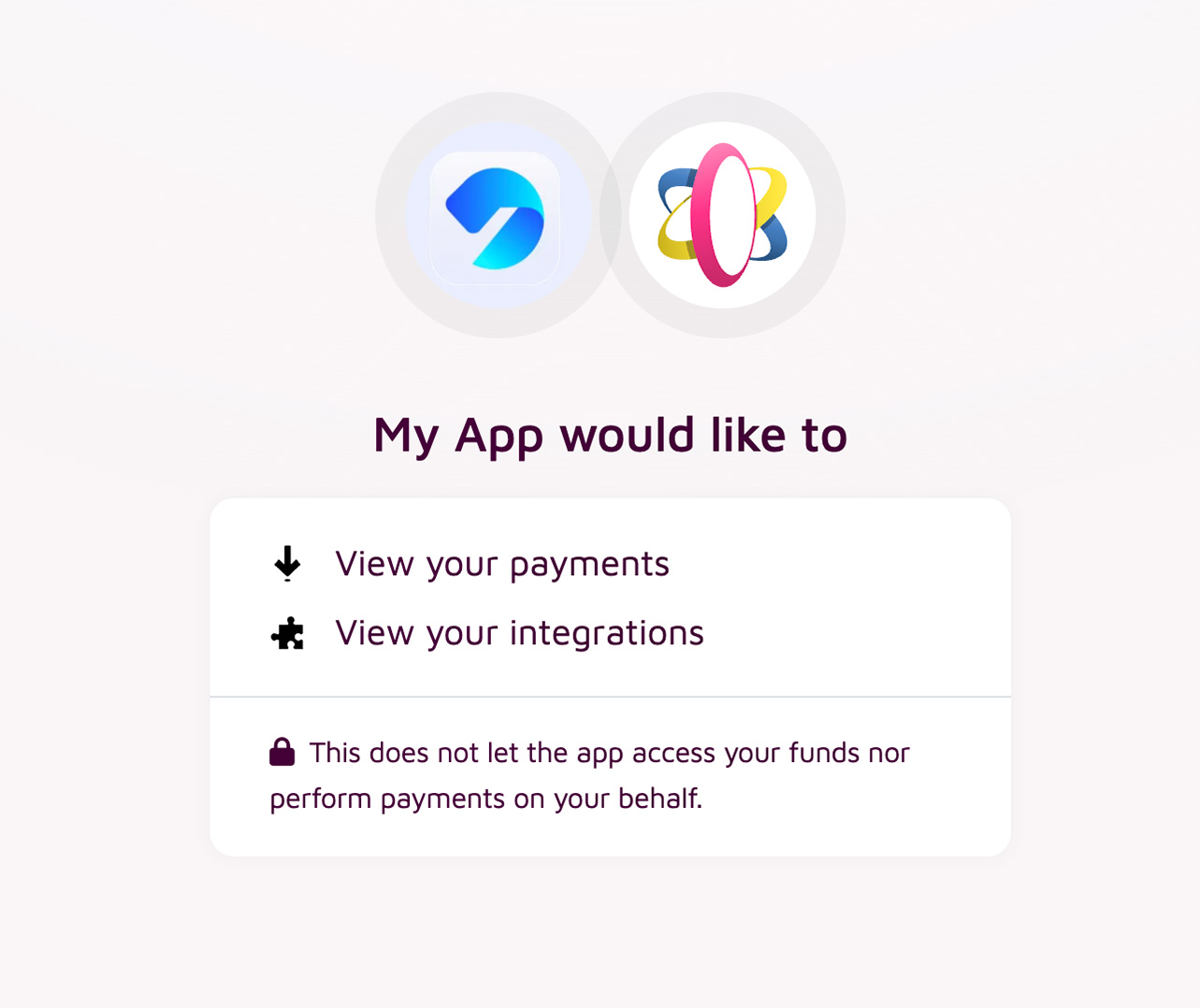
Step by step
Create an App
First you need to create an app on app.depay.com.
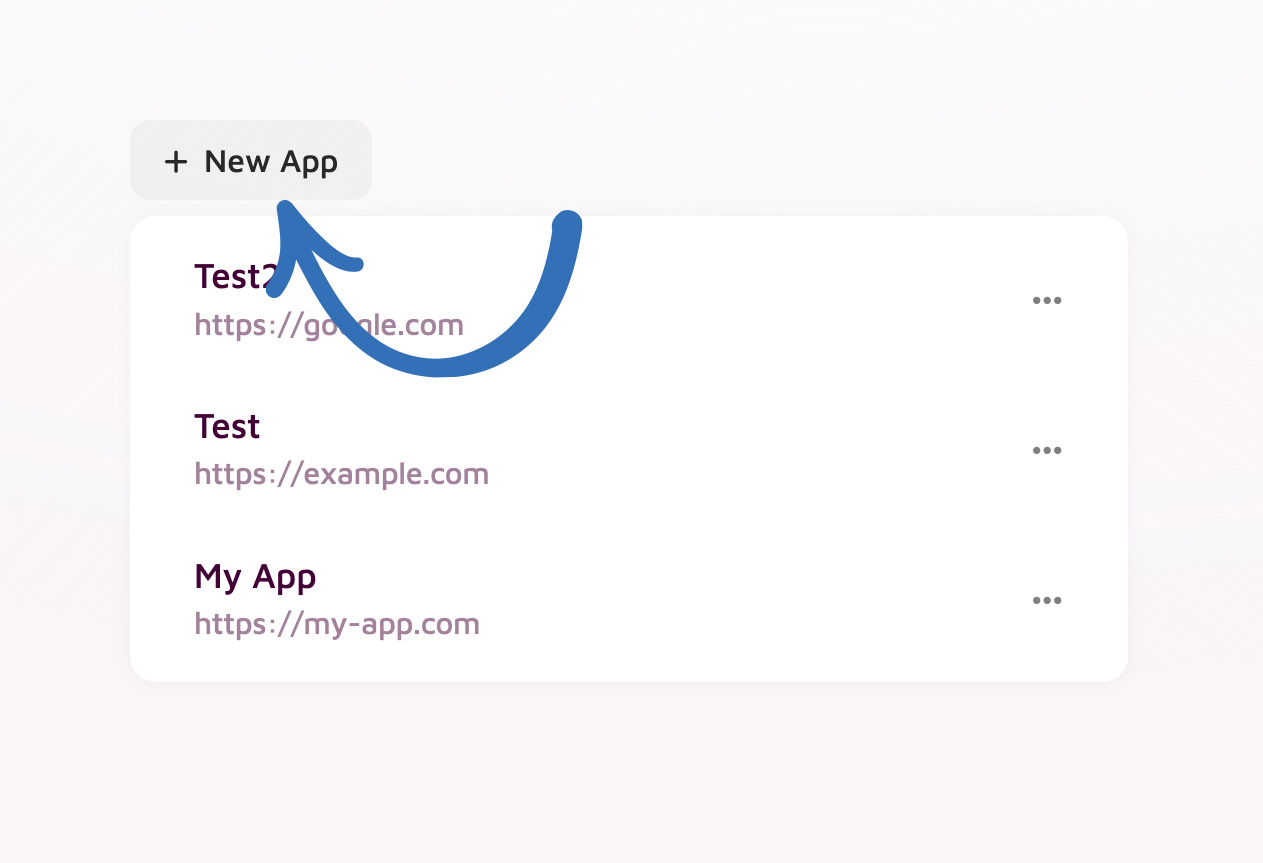
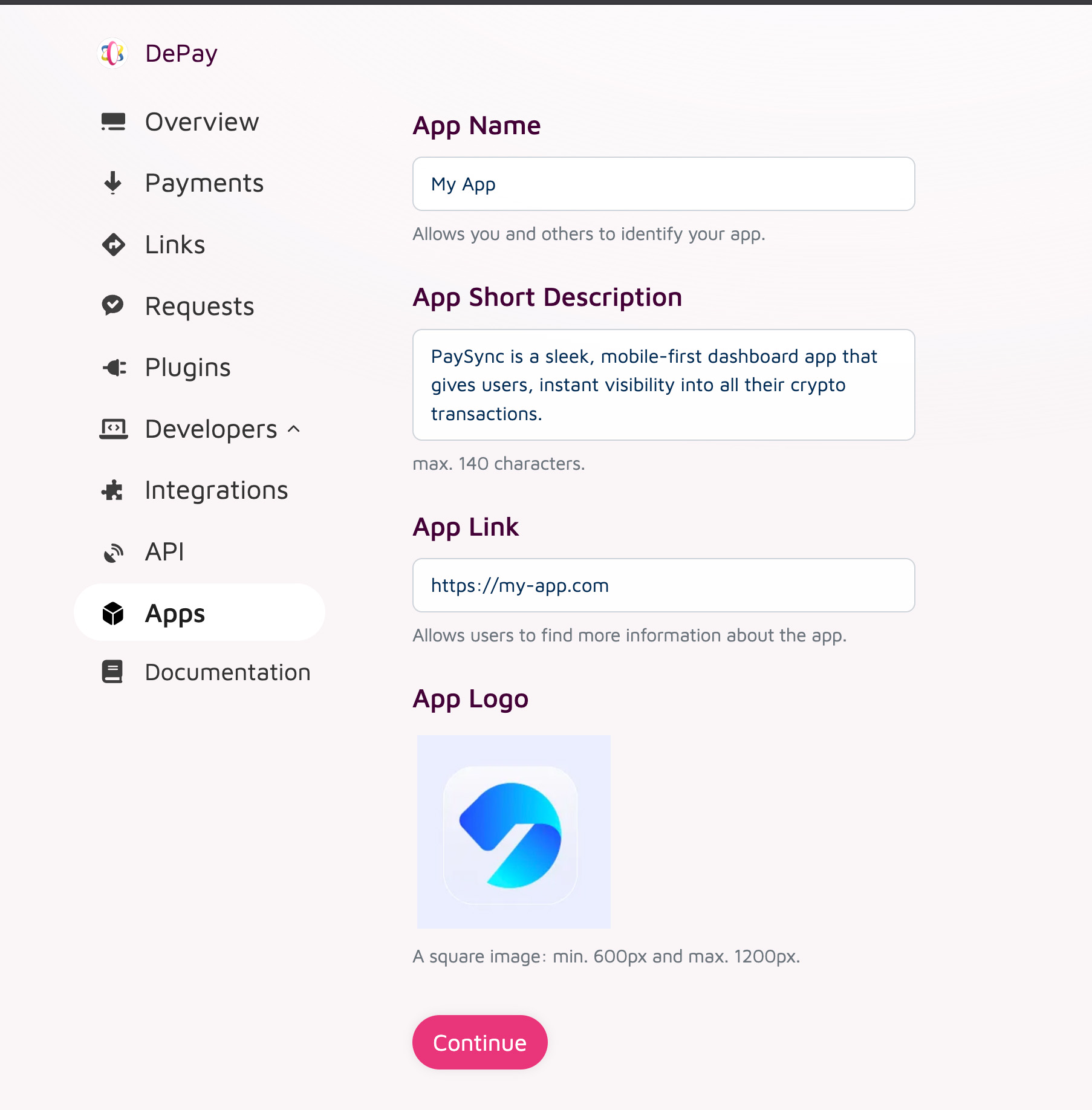
Go to Apps > New App and provide all the information required.
App ID & Secret
Copy your App ID and your App Secret into your app.
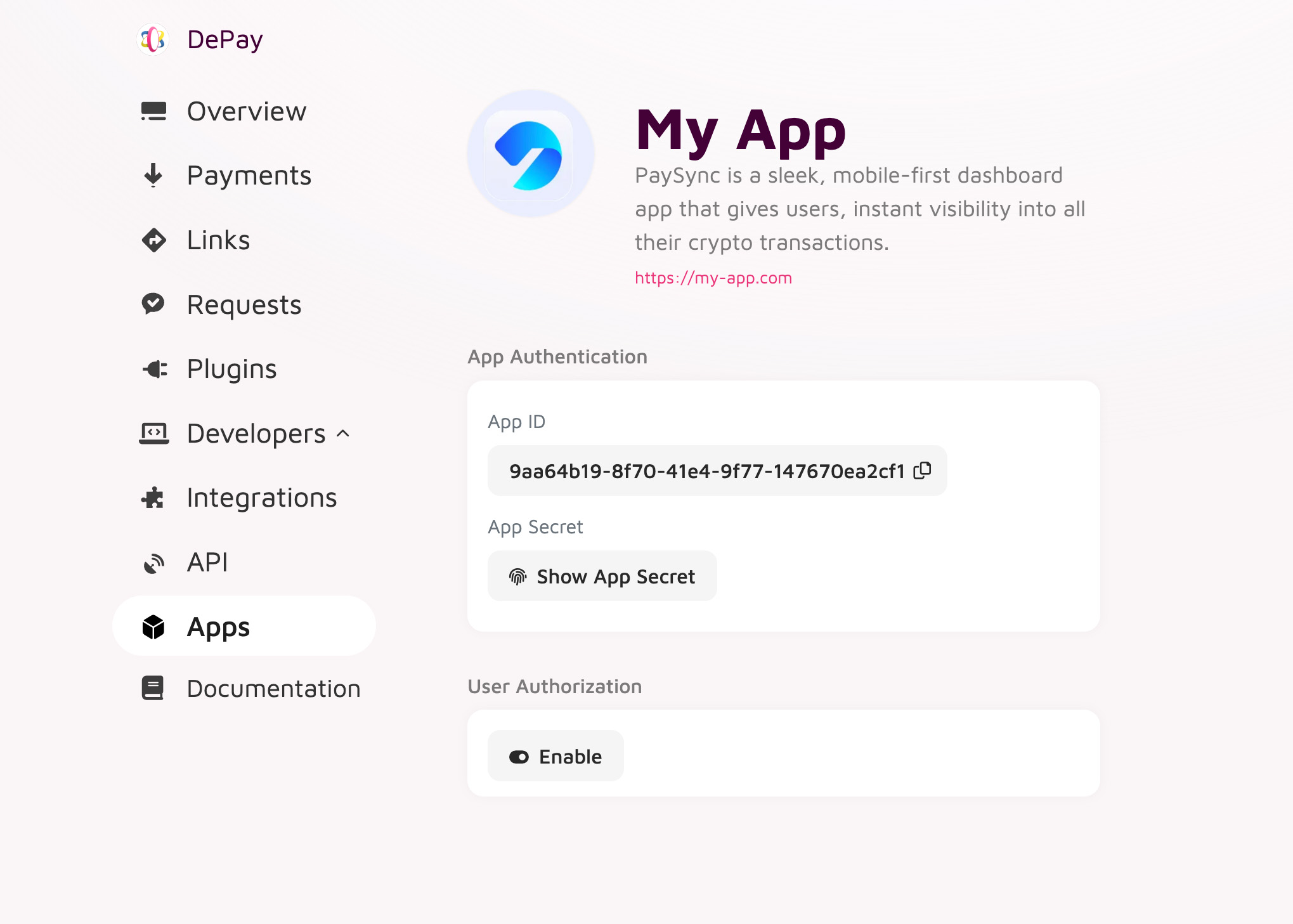
Treat your App Secret like a password—store it securely on your back-end, never embed or expose it in any front-end code, and use it only for server-to-server token exchanges.
Enable User Authorization
Right after creating your app or after navigating your app on app.depay.com Apps > Your App click "Enable" within the "User Authorization" section.
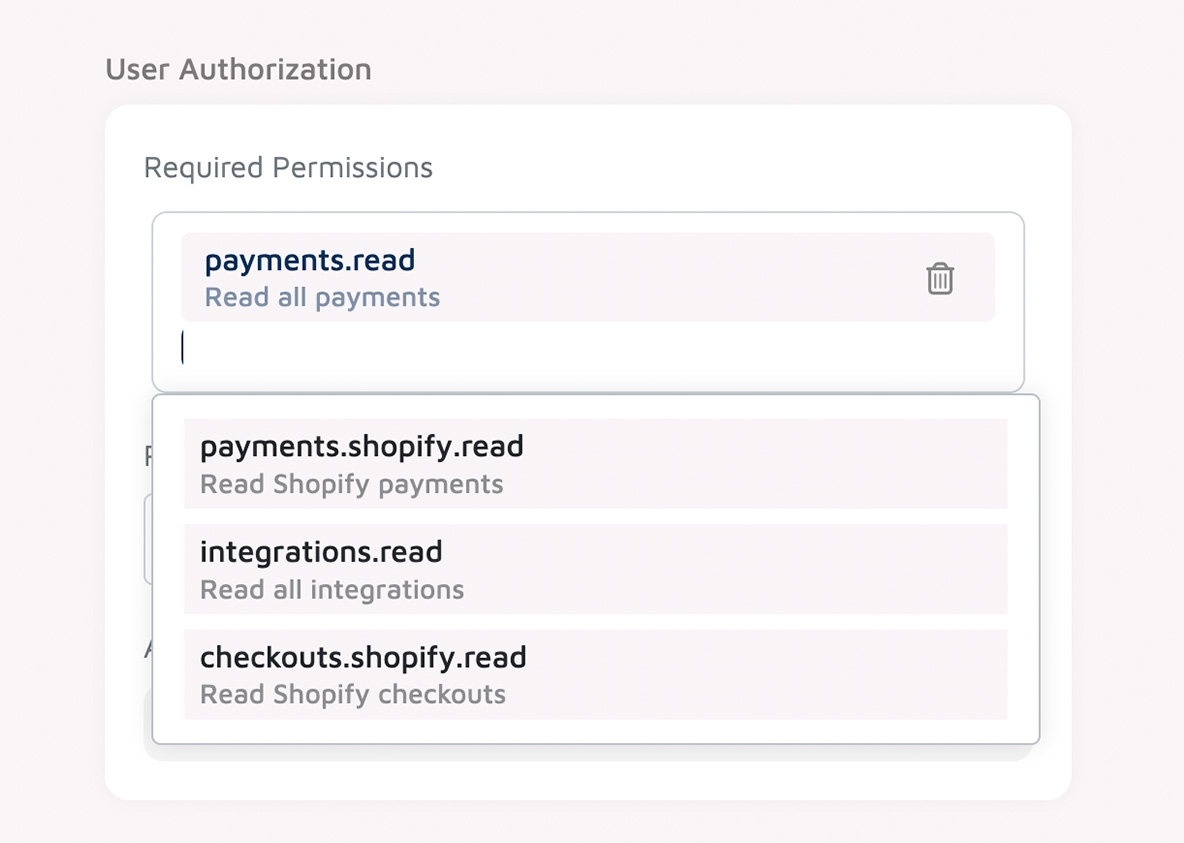
Required Permissions
Now select the permissions your app requires.
See: List of all app permissions and their detailed descriptions.
Redirect URL
Now set the redirect URL where users should be send to after they have granted your app permissions.
Authorization URL
Make sure you copy the "Authorization URL".
This is the URL you need to send users to in order to start a user authorization flow.
Initiate Authorization Request
Generate and store a high-entropy code_verifier (32+ random bytes, URL-safe):
code_verifier         = BASE64URL( RANDOM_BYTES(32) )        # 43–128 characters
code_challenge_method = S256
code_challenge        = BASE64URL( SHA256(code_verifier) )
state                 = BASE64URL( RANDOM_BYTES(16) )        # 22 characters
Redirect the user’s browser to DePay’s authorization endpoint:
GET https://app.depay.com/authorize
  ?response_type=code
  &client_id=<YOUR_APP_ID>
  &code_challenge_method=S256
  &code_challenge=${code_challenge}
  &state=${state}
To prevent open‐redirect attacks, all users will be redirected to the pre‐registered redirect URI configured in your app dashboard on app.depay.com.
Handle the Redirect
After the user approves or denies, DePay will redirect to your (on app.depay.com) pre-configured redirect url with:
code— the authorization code (on success)state— the same value you sent
Example callback URL (on success):
https://yourapp.com/callback
  ?code=SplxlOBeZQQYbYS6WxSbIA
  &state=xyzABC123
Server-side must:
Verify state matches the one you stored.
Retrieve the original
code_verifierfor this attempt.
Exchange Authorization Code for Access Token
Ensure all token exchanges occur via your backend directly to DePay APIs only.
From your server back-end only, make a POST request to the oauth/token endpoint:
### POST https://api.depay.com/oauth/token

+ Headers
  x-api-key: {api_key}
  x-api-version: 2025-10

+ Request (application/json)

  {
    "grant_type":    "authorization_code",
    "client_id":     "<YOUR_APP_ID>",
    "client_secret": "<YOUR_APP_SECRET>",
    "code":          "<AUTHORIZATION_CODE>",
    "code_verifier": "<ORIGINAL_CODE_VERIFIER>"
  }

+ Response 200 (application/json)

  {
    "access_token":  "eyJhbGciOiJIUzI1NiIsInR5cCI6IkpXVCJ9…",
    "token_type":    "Bearer",
    "expires_in":    3600,
    "expires_at":    "2022-11-10T14:30:00.436Z",
    "refresh_token": "def50200a45f…",
    "scope":         "payments.read"
  }
A given authorization_code can be exchanged only once.
Store access_token, refresh_token and store its expiry (expires_at).
Refresh an Access Token
When your stored access_token expires or you receive a response with status code 401:
+ Response 401 (application/json)

  + Headers

    WWW-Authenticate: Bearer realm="api.depay.com", error="invalid_token"

  + Body

    {
      "error": "invalid_token",
      "error_description": "The refresh token is invalid, expired, or has already been used.",
    }
Refresh the access_token server-side:
### POST https://api.depay.com/oauth/token

+ Headers
  x-api-key: {api_key}
  x-api-version: 2025-10

+ Request (application/json)

  {
    "grant_type":    "refresh_token",
    "client_id":     "<YOUR_APP_ID>",
    "client_secret": "<YOUR_APP_SECRET>",
    "refresh_token": "<STORED_REFRESH_TOKEN>"
  }

+ Response 200 (application/json)

  {
    "access_token":  "eyJhbGciOiJIUzI1NiIsInR5cCI6IkpXVCJ9…",
    "token_type":    "Bearer",
    "expires_in":    3600,
    "expires_at":    "2022-11-10T14:30:00.436Z",
    "refresh_token": "ghi703d2b…",
    "scope":         "payments.read"
  }
A given refresh_token can be exchanged only once. If you try to reuse it you’ll get an invalid_grant/invalid_token error and must re-authorize the user.
Update your storage of access_token, refresh_token and store its expiry (expires_at).
Re-authorization Required
If at any point your access or refresh token is invalid, expired, or revoked, your app must prompt the user to re-authorize. Below are common responses that indicate a full re-authorization is needed.
Invalid or Expired Refresh Token
When you attempt to refresh with an invalid or one-time-use refresh token:
+ Response 400 (application/json)

  + Body

    {
      "error": "invalid_grant",
      "error_description": "The refresh token is invalid, expired, or has already been used."
    }
Invalid or Expired Access Token
If you use an access token that the server no longer recognizes:
+ Response 401 (application/json)

  + Headers

    WWW-Authenticate: Bearer realm="api.depay.com", error="invalid_token"

  + Body

    {
      "error": "invalid_token",
      "error_description": "The access token is invalid or has expired."
    }
Insufficient Scope
If your access token lacks the required permissions for an endpoint:
+ Response 403 (application/json)

  + Headers

    WWW-Authenticate: Bearer realm="api.depay.com", error="insufficient_scope"

  + Body

    {
      "error": "insufficient_scope",
      "error_description": "The access token does not have the required scope: payments.read"
    }
Testing Integration
Because DePay enforces exact, pre-registered redirect URIs, you should create a separate app configuration for each environment (e.g. development, staging, production).
This ensures your redirect URIs match exactly and prevents authorization failures.